Shared albums changed the most
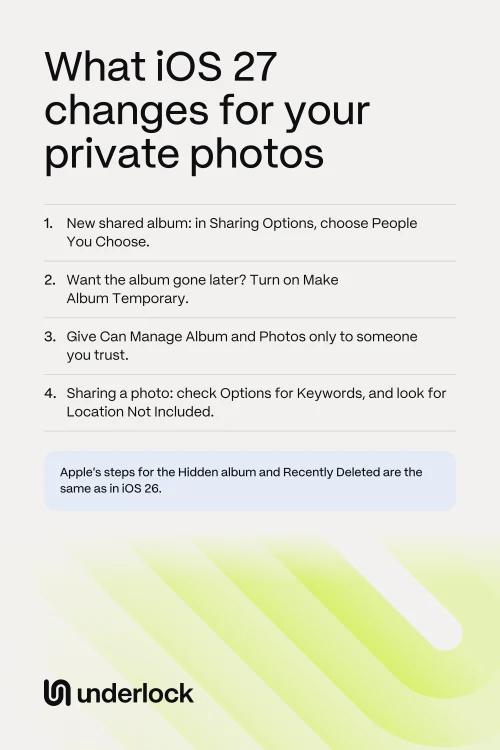
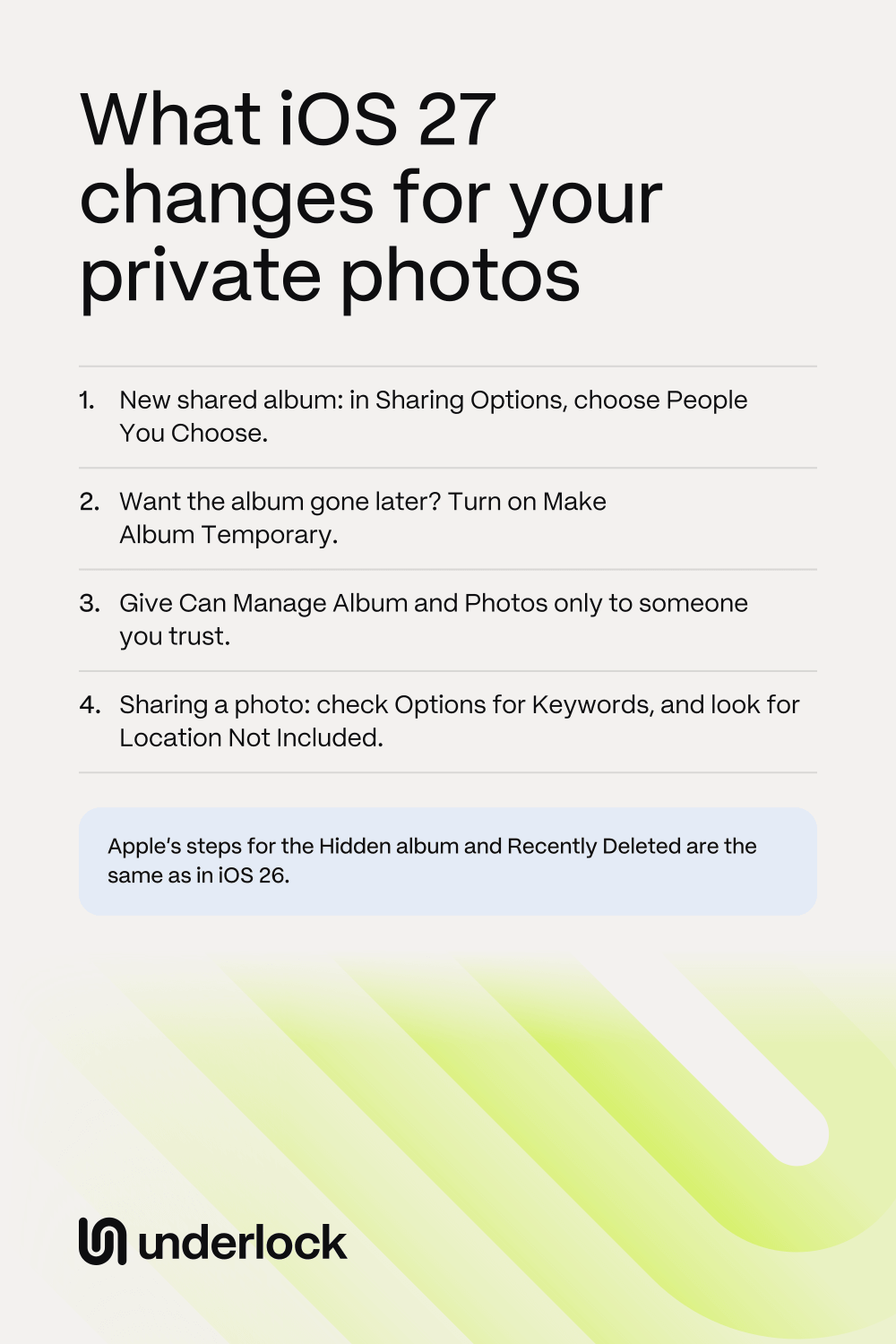
A shared album is one album you share with people you choose. We compared Apple’s help pages for iOS 26 and iOS 27. These changes are for albums made on iOS 27:
- Full-size photos. In an album made on iOS 26 or earlier, photos are reduced in size. In an album made on iOS 27, each photo stays at full resolution, in its original format. So people in the album can see all the detail in your photo, and they can save the photo. Apple’s pages don’t say whether the photo’s location goes with it. If that matters, remove the location before you add the photo.
- Joining from a link. People can now join from a link, on any device, even without an Apple Account. Sharing Options decides who gets in. With People You Choose, anyone else who gets the link has to ask you first. You then tap Approve or Decline. With Anyone with the Link, anyone who has the link can join without asking.
- Temporary albums. Turn on Make Album Temporary, and the album expires after 30 days. Everyone in the album can see when the album expires, and can save photos before then. A photo someone saved stays in that person’s own library after the album is gone. An album you already have can become temporary too. Tap the More button, then Delete Shared Album. Nothing is deleted yet. Your iPhone then offers Make Album Temporary, and the album goes in 30 days.
- A role for each person. By default, people in an album can view, comment, add photos and remove what they added. You can now choose a different role for each person. The roles are Can Manage Album and Photos, Can Add Photos and Can View and Comment. A person who can manage the album can invite other people, and can delete photos other people added.
- Saving a whole album. The More button now offers Save All Shared Items. So someone in the album can save every photo at once.
- iCloud Photos. For a regular shared album, Apple’s steps now ask you to turn on iCloud Photos. With iCloud Photos on, your photos go to iCloud and to your other devices. A temporary album doesn’t need iCloud Photos. So if you keep iCloud Photos off on purpose, you can still make a temporary album.
Apple also moved the way to remove someone. Remove Participant is now behind the Manage Shared Album button. See how to stop sharing photos.
Photos of your IDs have a collection now
The Photos app’s What’s New screen on iOS 27 says Utilities now has Identity Documents, so you can quickly find photos of your IDs. Anyone holding your unlocked iPhone could look there too, unless the collection is locked. In Utilities, Hidden and Recently Deleted show a lock. We couldn’t check Identity Documents, because our test iPhone holds no photos of IDs.
Sharing a single photo changed a little
When you share a photo, you tap the Share button, then Options. Apple’s iOS 27 page lists different choices there:
- Keywords. iOS 27 lets you add keywords to a photo, so you can find the photo later. A photo’s keywords can go with the photo when you share it. To leave them out, turn off Keywords in Options.
- Location. The Location switch is still in Options, for a photo that has a location. Above Options, your iPhone says Location Included or Location Not Included. A photo with no location shows neither. To leave the location out, turn off Location, then check for Location Not Included. Apple’s iOS 27 help page no longer lists this switch, but the switch was there when we checked on iOS 27.
- Reference images, on iPhone 18 Pro models. A photo taken in Reference mode can carry an unedited version, called a reference image. If you share that version, the other person can see the photo before your edits. To leave that version out, turn off Reference Image in Options.
What stayed the same
We found no change in Apple’s steps for these, apart from a few small words:
- The Hidden album. The Hidden album is still in Collections, below Utilities. Face ID, Touch ID or your iPhone passcode still opens the album. So anyone who knows your passcode can still open the album. See Hidden album on iPhone.
- Recently Deleted. A photo you delete still waits in Recently Deleted for 30 days. See how to get a deleted photo back.
- Locked and hidden apps. You still touch and hold the app, then tap Require Face ID. See how to lock or hide an app.
- A Shared Library. Apple’s steps to set up, use and leave a Shared Library are the same. See how to leave a Shared Library.
- Messages and AirDrop. A deleted message still waits 30 days in Recently Deleted, in Messages. Apple’s AirDrop steps are the same.
- Your iPhone backup. Apple’s steps to back up your iPhone are the same. See what’s in your iPhone backup.
iOS 27 has many other changes. This page leaves out the ones that don’t touch private photos.
What to check after you update
Do this for each shared album you made:
- In the Photos app, tap Collections, then tap Shared Albums.
- Tap an album you made.
- Tap the Manage Shared Album button. You see the people in the album.
- To remove someone, tap the person, then tap Remove Participant.
- To change what someone can do, tap the person, then tap a role.
- Open Sharing Options. Choose People You Choose if you want to approve each new person.
An album made on iOS 26 or earlier may still have Public Website on. With Public Website on, anyone with the album’s web address can see the album. To check, tap the More button, then tap Shared Album Details. You can turn Public Website off there.
If you keep photos in a vault
We make Underlock, a private vault for photos, videos, files and notes. You open your vault by drawing a pattern on a grid of dots.
Underlock is coming soon to the App Store. Here’s how it will work.
- iOS 17 or later. Underlock runs on iOS 17 or later, so you don’t need iOS 27.
- Not in the Photos app. Photos in your vault aren’t in the Photos app, so they’re not in iCloud Photos, and your iPad, Mac and iCloud.com don’t show them.
- Never in a shared album. Photos in your vault are never in a shared album or a Shared Library. A photo you already added to a shared album stays in that album until you delete it from the album.
Questions people ask
No. Apple’s steps for the Hidden album are the same as in iOS 26. Anyone who knows your iPhone passcode can still open the album.
Yes, if you let that person in. On iOS 27, people can join an album from a link on any device, even without an Apple Account. Choose People You Choose in Sharing Options, and you approve each new person.
No. A photo someone saved stays in that person’s own library, even after the album is gone.
An album made on iOS 26 or earlier keeps Apple’s older limits. For example, photos in that album are still reduced in size.
For an album made on iOS 27, Apple says that person has to update, or view the album on iCloud.com.
Yes, if you made the album. Photos other people add count toward your storage too. A temporary album doesn’t count.
Apple’s list of releases dates iOS 27 as 14 September 2026.
Apple lists iPhone 11 and later, and iPhone SE (2nd generation) and later. To see which iOS you have, open the Settings app. Tap General, then tap About.