
Choose a plainer app icon
Choose a calculator, a timer or five other plain icons. The name under the icon stays Underlock.
Coming soon to the App Store

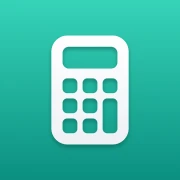







Change the icon in App settings
To go back to Underlock’s own icon, choose it the same way.
Nine icons, one name
-
Our own drawings. Each icon is drawn for Underlock, never copied from Apple or another app.
-
The name stays Underlock. iOS shows an app’s own name under its icon, whichever icon you choose.
-
Only a picture. The calculator icon doesn’t open a calculator. Tapping it opens Underlock’s pattern screen.
Questions
Yes. The other icons are part of Underlock Pro. If Pro ends, the icon goes back to Underlock’s own the next time you open Underlock. Your vaults and files are untouched. See pricing
No. iOS always shows an app’s own name under its icon, so every icon says Underlock under it.
Underlock’s own icon, a lime one, and seven plain ones: a calculator, a scanner, units, a timer, an inbox, a printer and a list.
A plainer icon for Underlock
The other icons are part of Pro. Start free with one vault.
For iPhone with iOS 17 or later.