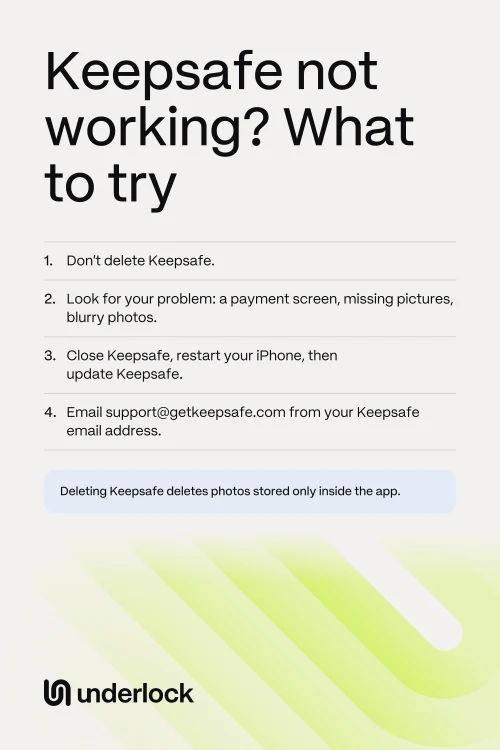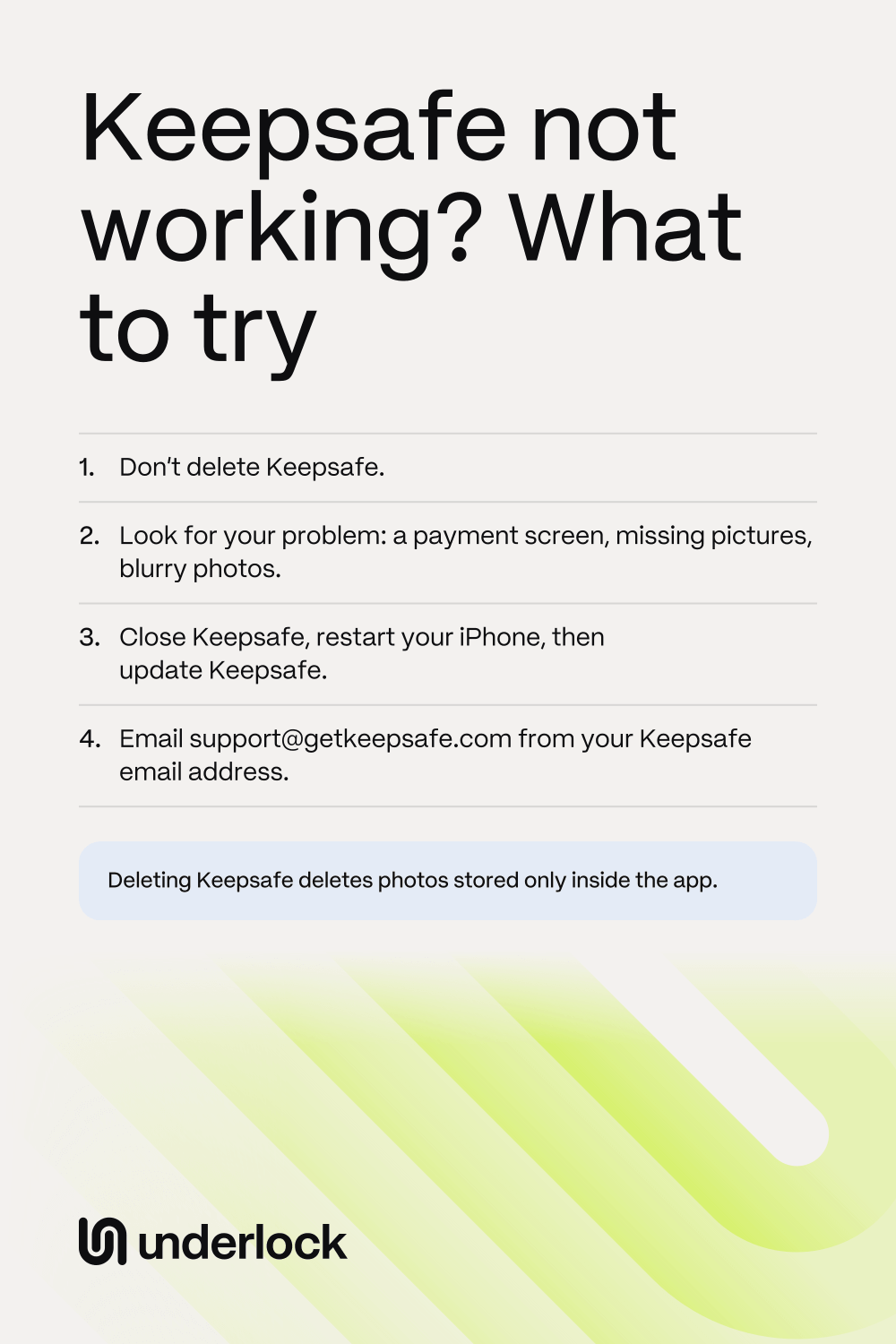
First, don’t delete Keepsafe
Keepsafe keeps your photos in the app’s own storage on your iPhone. Keepsafe says that when you delete the app, anything not backed up is permanently lost. Only backed-up photos come back when you log in again. So skip these 2 fixes for now:
- Deleting the app and downloading it again. Apple’s list of fixes ends with this step, and Apple warns that you might lose data stored in the app. To see what deleting does, read does deleting a vault app delete your photos?
- Logging out. Keepsafe says it has no log out button. The only way to log out is to delete the app, and Keepsafe doesn’t recommend that.
Is there a cloud symbol by the Keepsafe icon? Your iPhone offloaded the app, and your photos are still there. Tap the icon to download the app again. See what offloading does. Already deleted Keepsafe? See what to try now.
If Keepsafe shows a payment screen
When Premium ends, Keepsafe asks you to choose a plan before you can get to your photos. These are Keepsafe’s steps:
- Close the payment screen, with the close button in the top right corner.
- Paid already? On the next screen, scroll down, then tap Restore Purchases.
- Not paying any more? On that same screen, tap Switch to Basic.
- If Space Saver was on, wait while Keepsafe downloads your full-size photos. Your iPhone needs room for those photos.
- Confirm the switch.
On Basic, Keepsafe says all your photos stay in the app, but only 200 stay backed up. Paid, and Keepsafe still shows Basic? Keepsafe says this usually happens when you have more than one Keepsafe account, even without knowing. So ask Keepsafe’s support team.
If you can’t get past the PIN screen
On the PIN screen, tap Forgot PIN in the top right corner. Keepsafe emails a code to your verified addresses. Keepsafe says it waits 5 minutes before it sends the code.
For the rest of the steps, and what to do if no code comes, see Forgot your Keepsafe PIN? Using a different vault app? See Forgot your photo vault password?
If Keepsafe isn’t showing your pictures
These are the causes Keepsafe’s help points to, in the order to check them:
- You just logged in again, or you’re on a new iPhone. Keepsafe says only backed-up photos load, and a large number takes time. So keep Keepsafe open, with the screen on. On the free plan, the backup holds your first 200 photos and videos.
- You’re in a different account. Keepsafe says some people have more than one account without knowing. To see which email you’re using, open Keepsafe’s Settings, in the bottom left corner. Then tap Account. If it’s not the email you expected, ask Keepsafe’s support team before you delete anything.
- You typed a different PIN. Keepsafe’s Decoy Vault is a second gallery with its own PIN. If you set one up, that PIN shows only the photos in the second gallery. Close Keepsafe, then type your other PIN.
- The album is locked. A locked album asks for its own password, on top of your PIN. Forgot that password? See Forgot an album password.
- The photos are in the Trash. Deleting a photo moves the photo to Keepsafe’s Trash. Deleting an album moves the album’s photos there too. To look, open Keepsafe’s Settings, then open the Trash. Getting photos back from the Trash needs Premium. Keepsafe says photos deleted from the Trash can never come back.
If photos look blurry or videos won’t load
Keepsafe’s help doesn’t name a cause for videos that won’t load. One feature can explain both problems: Space Saver, which comes with Premium. Space Saver keeps your full-size files in Keepsafe’s cloud, and smaller copies on your iPhone. Keepsafe says that’s why a photo can look blurry. When you open a photo or video, Keepsafe downloads the full-size file. Try these:
- Open Keepsafe’s Settings, then tap Backup & Sync. The Space Saver switch shows whether Space Saver is on.
- Connect your iPhone to Wi-Fi, then open the photo or video again.
- Keep Keepsafe open while the file downloads.
- Still not loading? Check the space on your iPhone. Open the Settings app, tap General, then tap iPhone Storage. Apple suggests keeping at least 1 GB free.
- To keep every full-size file on your iPhone, turn off the Space Saver switch. Keepsafe then downloads all your full-size files, which take up more space. Stay on Wi-Fi, and keep Keepsafe open until the download finishes.
Is Space Saver off, and a video still won’t load? Ask Keepsafe’s support team, and say which video.
If Keepsafe won’t open at all
Use Apple’s steps for any app that won’t open, in Apple’s order. Our guide to a vault app that won’t open has each step in full.
- Close Keepsafe, then open Keepsafe again.
- Restart your iPhone, then open Keepsafe.
- Update Keepsafe. Open the App Store, tap your picture, then tap App Updates.
- If there’s no update, update iOS. Open the Settings app, tap General, then tap Software Update. Keepsafe’s App Store page says Keepsafe needs iOS 17 or later.
- Apple’s next step is deleting the app. Skip that step, and ask Keepsafe’s support team instead.
Have an iPad or another phone? Keepsafe says you can log in on as many devices as you like, with the same email. Your backed-up photos load there, and nothing on your iPhone changes.
If Keepsafe keeps crashing, send a crash report
Keepsafe asks for crash reports. Your iPhone keeps these reports, so you can send them even if Keepsafe won’t open:
- Open the Settings app, then tap Privacy & Security.
- Tap Analytics & Improvements, then tap Analytics Data.
- Scroll to the files that start with KeepSafe or Fence-hang-KeepSafe, with a date. Keepsafe asks for both kinds.
- Tap a file, then tap the share button at the top right.
- Email the file to support@getkeepsafe.com.
Ask Keepsafe’s support team
Keepsafe says a real person answers, and asks for 24 hours to reply. Ask before you delete anything. There are 2 ways:
- From the app, if the app opens. Open Keepsafe’s Settings, then tap Help & Info, then Contact Support. Keepsafe prefers this way.
- By email. Write to support@getkeepsafe.com from the address on your Keepsafe account. Keepsafe says it can’t help from an address with no account.
Say what you see, and what you’ve tried. Ask how to save your photos, and whether they’re backed up. Forgot which email you used? See what to do if you can’t log in.
Once Keepsafe opens, save your photos
Do these before you try anything else:
- Open Keepsafe’s Settings, then tap Backup & Sync. Turn on the Backup & Sync switch, as Keepsafe strongly recommends.
- Check how much the backup holds. On Keepsafe’s main screen, tap the cloud icon. On the free plan, photos past the first 200 have no backup.
- Open an album, then tap Select. Choose the photos you want to keep outside Keepsafe.
- Tap the send icon, then tap Export to Camera Roll. Exporting takes the photos out of Keepsafe and puts them in the Photos app. There, the photos no longer have Keepsafe’s lock.
To check the saved photos, or to save photos from another vault app, see how to save your photos out of a vault app.
If you move your photos to Underlock
We make Underlock, a private vault for photos, videos, files and notes. You open your vault by drawing a pattern on a grid of dots.
Underlock is coming soon to the App Store. Here’s how it will work.
- Export first. Save your photos from Keepsafe to the Photos app, with the steps above.
- Then import. Open Underlock. Tap the Add button (a plus sign), then tap Import from Photos. Choose your photos.
- Then decide about the originals. Underlock asks Remove the originals from Photos? Tap Remove or Keep.
- Keep Keepsafe until you’ve checked. Delete Keepsafe only once your photos open in your vault.

For the whole move, see how to switch to Underlock.
Questions people ask
Reinstalling can cost you photos. To reinstall, you have to delete the app first, and only backed-up photos come back when you log in again. So ask Keepsafe’s support team first.
Probably because you logged in again, or moved to a new iPhone. Keepsafe’s free plan backs up your first 200 photos and videos, and only backed-up photos load. Still have your old iPhone? Export the rest from there.
Space Saver is probably on. Space Saver keeps smaller copies on your iPhone, and your full-size files in Keepsafe’s cloud. Open a photo while you’re online, and Keepsafe downloads the full-size file.
Your Premium plan probably ended. You don’t have to pay to reach your photos. Close the payment screen, then tap Switch to Basic. On Basic, all your photos stay in the app, but only 200 stay backed up.
Keepsafe’s App Store page says Keepsafe needs iOS 17 or later. To see your version, open the Settings app. Tap General, then tap About.
Log in on another device, if you have one: your backed-up photos load there. Keepsafe’s help gives one way to get photos out of the app itself, the export steps. So ask Keepsafe’s support team about photos that aren’t backed up.