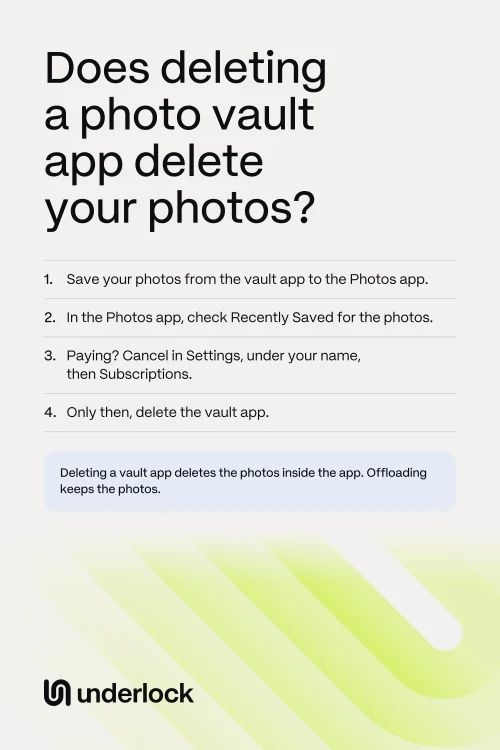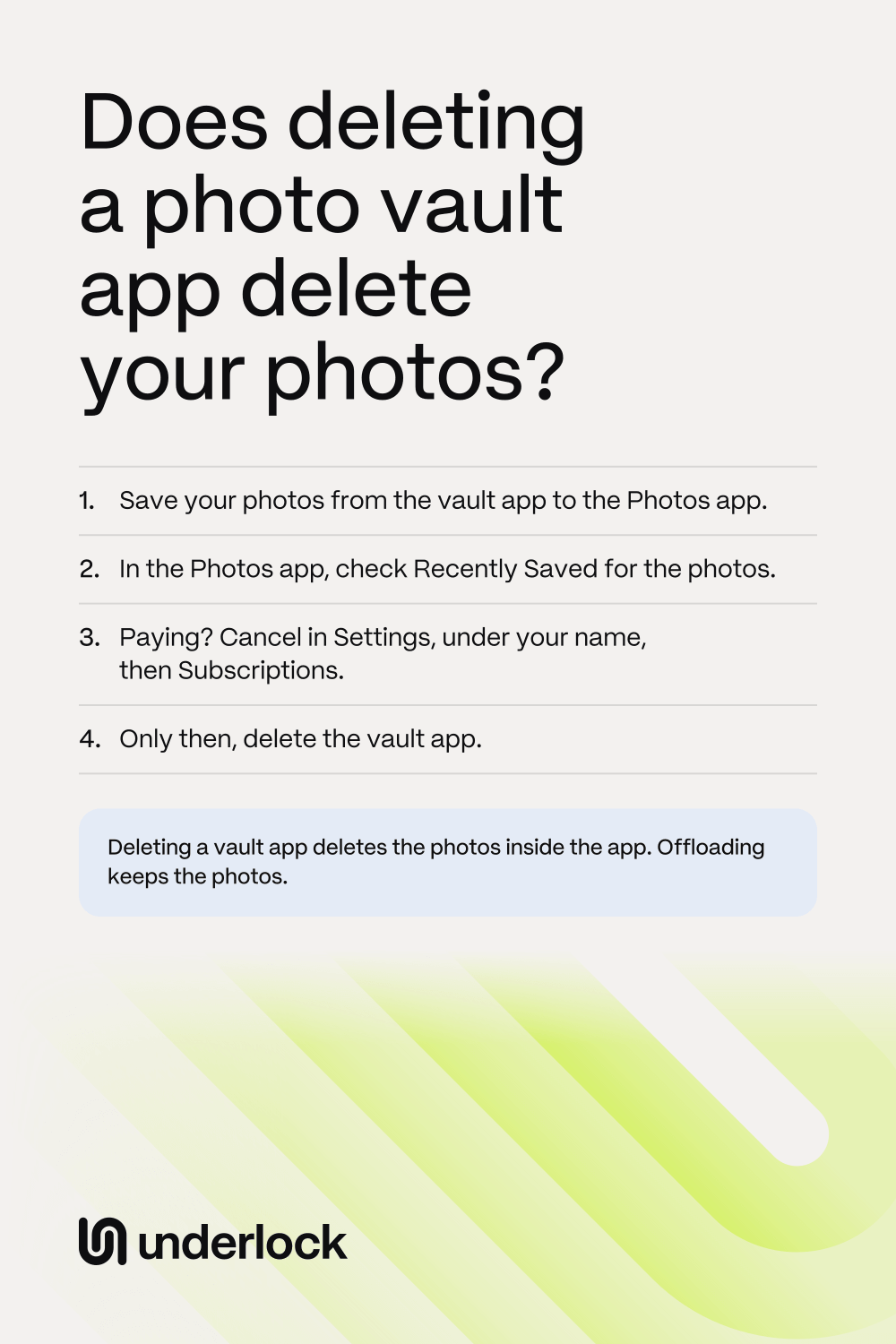

Deleting the app deletes the photos inside it
A vault app keeps your photos in the app’s own storage on your iPhone, apart from the Photos app. When you delete an app, your iPhone removes the app and the app’s data. In a vault app, that data includes your photos. Two kinds of photos survive after you delete a vault app:
- Photos still in the Photos app. Adding photos from the Photos app to a vault app puts a copy of each photo in the vault app. The originals stay in the Photos app until you remove them, and deleting the vault app doesn’t touch the Photos app. Originals you deleted in the last 30 days are still in Recently Deleted, in the Photos app.
- Photos the app backed up online. Some vault apps back up your photos, either to the servers of the company that makes the app or to your iCloud. Deleting the app from your iPhone doesn’t delete that backup. To get the photos back, download the app again and sign in. Only the photos the app had already backed up come back.
Already deleted the app? See what to try now. Does the app’s icon still show on your Home Screen, with a cloud symbol? Then the app was offloaded, not deleted: see Offloading isn’t deleting.
Before you delete a vault app
Photos that weren’t backed up can’t come back after you delete the app. And some vault apps delete their backup when you stop paying. For example, Private Photo Vault deletes your cloud backup when your Premium plan ends. So take these steps first, in this order:
- Save the photos and videos you want to keep to the Photos app. Each vault app has its own buttons: see how to save photos out of a vault app.
- In the Photos app, tap Collections, then tap Recently Saved, under Utilities. Check that your photos are in Recently Saved.
- Couldn’t save some photos? Stop here, and ask the company that makes the app for help. On the app’s page in the App Store, scroll down to Ratings & Reviews, then tap App Support.
- Paying for the vault app? Now that your photos are saved, cancel the subscription: open the Settings app, tap your name, then tap Subscriptions. Deleting the app doesn’t cancel the subscription.
- Touch and hold the vault app’s icon on your Home Screen.
- Tap Remove App, then tap Delete App.
- Tap Delete to confirm.
Moving the photos into another vault app? See how to move photos into a vault without leaving copies behind.
Already deleted the app?
Photos still in the Photos app were never deleted. A photo that was only inside the vault app can come back from a backup made before you deleted the app, and from nowhere else. Try these steps, in this order:
- First, make sure the app is really deleted. Look for the app’s icon on your Home Screen and in App Library. An icon with a cloud symbol means the app was only offloaded: tap the icon, and the app comes back with your photos still in it.
- Look in the Photos app. Photos you never deleted from the Photos app are still in your library. Photos you deleted in the last 30 days wait in Recently Deleted, so you can get them back from Recently Deleted.
- Open the App Store. Search for the vault app.
- In the App Store, tap the Redownload button next to the vault app. Your iPhone downloads the app again, for free. The new download brings back only photos that were backed up.
- Open the vault app. If you had an account in the app, sign in with that same account.
- If your photos don’t come back, ask the company that makes the app. On the app’s page in the App Store, scroll down to Ratings & Reviews, then tap App Support.
Still paying for the app? Wait to cancel until your photos are back, because some vault apps delete their backup when a paid plan ends. Used Keepsafe or Private Photo Vault? See what each one says, in the questions below.
Offloading isn’t deleting
A cloud symbol by the vault app’s icon means your iPhone offloaded the app, and your photos are still on your iPhone. Tap the icon: your iPhone downloads the app again, and the app comes back with your photos still in it. Offloading removes the app itself, but keeps the app’s documents and data on your iPhone. So offloading keeps your photos. Offloading frees only the space the app itself takes. Your photos still take up the same space. To offload one app yourself:
- Open the Settings app.
- Tap General, then tap iPhone Storage.
- Tap the vault app in the list. The app’s page shows how much space the app takes.
- Tap Offload App. Confirm when your iPhone asks.
By itself, your iPhone can also offload apps you don’t use when storage runs low, if Offload Unused Apps is on. The switch is in the Settings app, under Apps, then App Store. To free up more space, see Apple’s ways to manage storage. Can’t find the app at all? See where an app goes when it leaves your Home Screen.
If you delete Underlock
We make Underlock, a private vault for photos, videos, files and notes.
Underlock is coming soon to the App Store. Here’s how it will work.
- Your vault on this iPhone is deleted. Deleting Underlock deletes your vault, and every file in your vault, from this iPhone.
- Save your photos out first. Before you delete Underlock, open your vault. Save the photos you want to keep to the Photos app.
Questions people ask
Only from a backup made before you deleted the app. Download the app again, and sign in if you had an account. If your photos don’t come back, ask the company that makes the app. Look in the Photos app too: originals you never deleted are still there.
Only the photos Keepsafe backed up. Keepsafe says that only backed-up photos come back when you log back in to your Keepsafe account. Download Keepsafe again, then log in.
Only from a backup. Private Photo Vault says that files come back from its Cloud Vault, if you turned the Cloud Vault on and the files finished uploading. To get the files, sign in through the app. Without a backup, Private Photo Vault says it can’t restore deleted files.
No. Offloading frees up the space the app takes, but keeps the app’s documents and data. The app’s icon stays on your Home Screen, with a cloud symbol. Tap the icon to download the app again.
No. To cancel, open the Settings app, tap your name, then tap Subscriptions. Save your photos to the Photos app before you cancel, because some vault apps delete their backup when a paid plan ends.
Yes. Deleting Underlock deletes your vault from this iPhone. So save the photos you want to keep before you delete Underlock.