
Who can open an iCloud link
An iCloud link opens a photo or a file that’s stored in your iCloud. Apple says you can share an item like that in 2 ways: send a copy, or share a link. If you share a link, you choose who can open it:
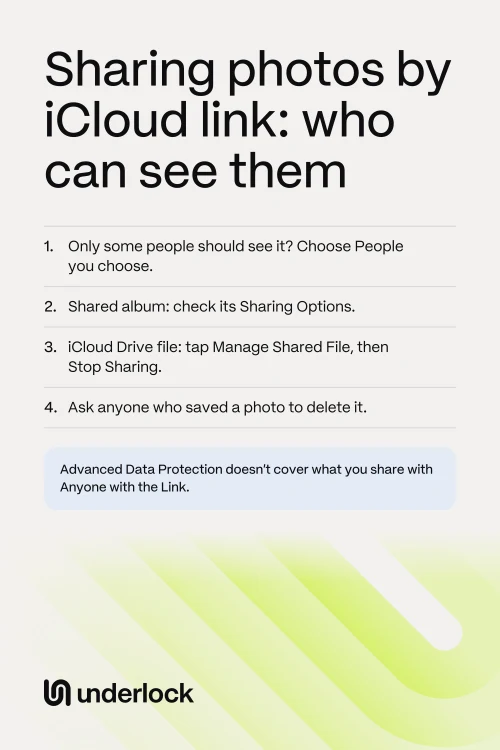
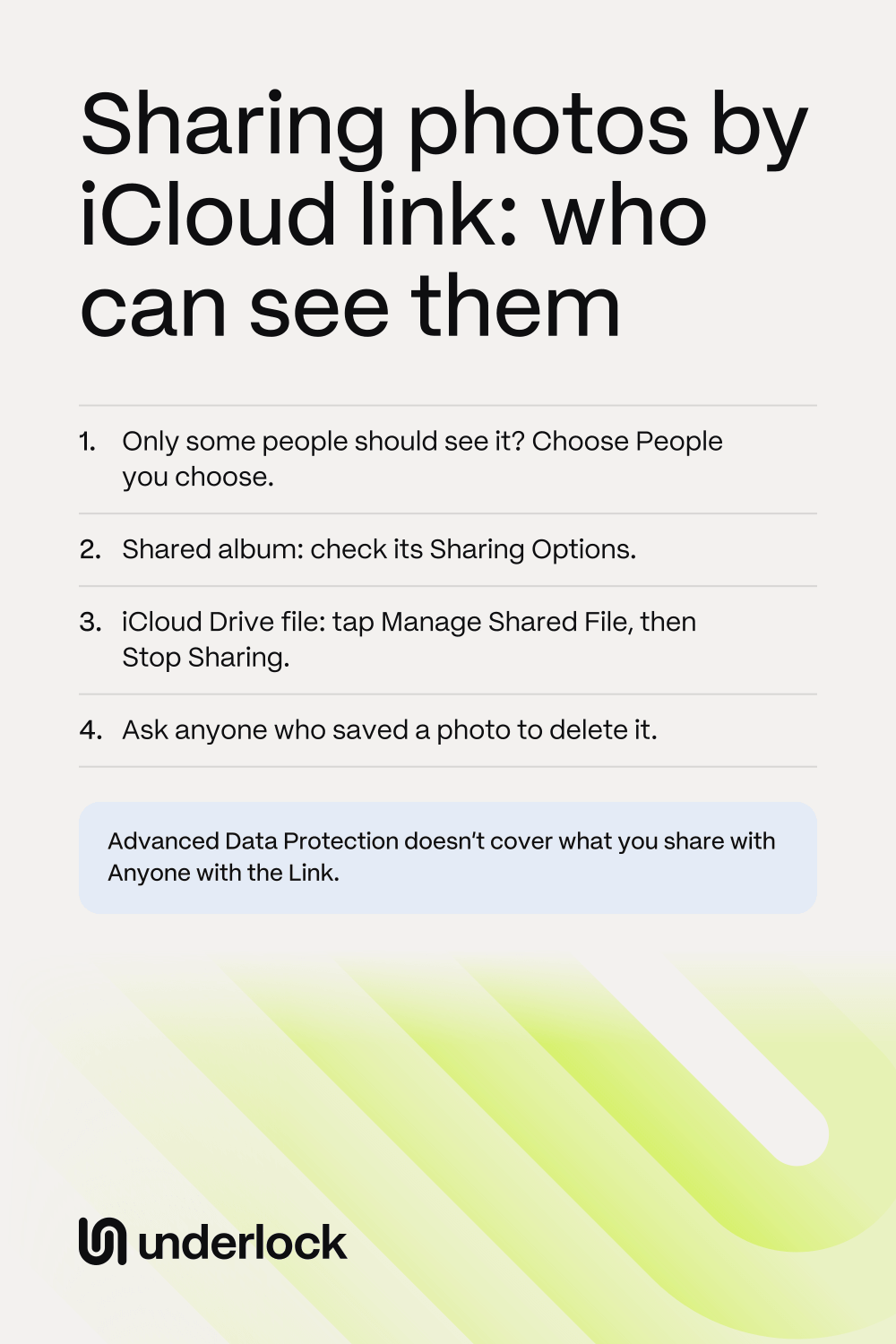
- People you choose. Only people you invite or approve can open the link.
- Anyone with the link. Anyone who has the link can open it, and Apple says that includes Apple. Anyone with the link can also pass the link on to other people.
Apple says a shared photo also shares its details, like the date, the time, the location and any captions. See how to share a photo without its location.
3 ways to share photos by link
On iPhone, a link can open a few photos, a shared album or a file:
- A link to photos. On iOS 17 to iOS 26, with iCloud Photos on, tap the Share button, then Options. Then turn on iCloud Link. Apple says anyone can view or download the photos from that link. If your iPhone has iOS 27, Apple’s guide doesn’t show this switch any more, or another way to make this kind of link.
- A shared album. On iOS 27, a shared album has a link of its own. In Sharing Options, you choose People You Choose or Anyone with the Link. With Anyone with the Link, anyone who has the link can join the album without asking you. People can join on any device, even without an Apple Account. See what iOS 27 changed in shared albums.
- A file in iCloud Drive. In the Files app, you can share a file with Share a Link. Then you choose People you choose or Anyone with the link.
Not sure which iOS you have? Open the Settings app. Tap General, then tap About. Not sure which kind of link you made? A shared album is listed in the Photos app. Tap Collections, then tap Shared Albums.
What Advanced Data Protection doesn’t cover
Your iCloud photos are encrypted, which means scrambled. Advanced Data Protection is a setting you can turn on. With the setting on, only your devices hold the keys that unscramble your iCloud photos. The setting is off unless you turned it on. To check, open the Settings app. Tap your name, then iCloud, then Advanced Data Protection. If the setting is on, Apple says it doesn’t cover everything you share:
- Anyone with the link. An item shared this way is no longer covered by Advanced Data Protection, even if you turned the setting on. Apple holds the keys to the item, so that Apple’s servers can show the item to anyone who opens the link.
- Shared albums. Apple says shared albums are never covered by Advanced Data Protection. Apple holds the keys to every shared album.
- A Shared Library or a shared folder. A Shared Library is a second photo library that you share with up to 5 other people. Apple says a Shared Library stays covered if everyone in the library has the setting on. A shared folder in iCloud Drive stays covered the same way.
With the setting off, Apple holds the keys to all your iCloud photos, shared or not. See who holds the keys to your iCloud photos.
What Apple says about checks from iOS 27.3
Apple says that from iOS 27.3, "items shared using Anyone with the Link will be checked by Apple for harmful content." Apple says the same for iPad, Mac and Apple Vision Pro, from version 27.3. For Apple’s own words in full, see Apple’s page about Anyone with the Link.
How long a link lasts
It depends on the kind of link:
- A link to photos. On iOS 17 to iOS 26, Apple says the link lasts 30 days. Apple’s iOS 27 guide doesn’t say.
- A shared album. The album and its link stay until you delete the album. Deleting the album removes the album from everyone’s devices. If you turn on Make Album Temporary, the album expires after 30 days.
- A file in iCloud Drive. The link works until you stop sharing the file. Apple says the link also stops working if you move the file to another folder.
End a shared album link, or a link to photos
You can end some links early:
- A shared album you made. Removing a person from the album doesn’t turn off the album’s link. If the album is set to Anyone with the Link, anyone who has the link can still join. So in the album’s Sharing Options, choose People You Choose. Anyone else with the link then has to ask you first. To remove people or delete the album, see how to stop sharing photos.
- An album made on iOS 26 or earlier. The album may have Public Website on. With Public Website on, anyone with the album’s web address can see the album. To check, tap the More button, then Shared Album Details. You can turn Public Website off there.
- A link to photos, made with iCloud Link. Apple’s pages for iOS 17 and later don’t say how to end this kind of link early. Apple says the link lasts 30 days.
Ending a link doesn’t take back what people already saved. A photo someone saved stays in that person’s own library. To get the photo deleted, you have to ask the person.
Stop sharing a file in iCloud Drive
If you shared a file from the Files app, you can stop sharing it at any time:
- Open the Files app.
- Go to the folder that holds the file.
- Touch and hold the file.
- Tap Manage Shared File. For a folder, tap Manage Shared Folder.
- Tap Stop Sharing.
Apple says the link then stops working, and the file leaves other people’s iCloud Drive. Want to keep sharing with a few people? Tap Sharing Options instead of Stop Sharing, then choose People you choose. Apple says the old link then stops working, and only people you invite again can open the file.
Sharing from Underlock sends a copy
We make Underlock, a private vault for photos, videos, files and notes. You open your vault by drawing a pattern on a grid of dots. Everything you add to your vault is encrypted on your iPhone before Underlock saves it.
Underlock is coming soon to the App Store. Here’s how it will work.
- A copy, not a link. When you tap Share, Underlock asks you to confirm. Then Underlock shares a copy of the photo, not a link to it. That copy is no longer encrypted. The photo itself stays in your vault.
- No location on what you share. The confirm step has a Remove location switch, which is on. So the photo leaves without its location, unless you turn the switch off.
- Then you choose how to send it. After you confirm, you choose how to send the copy, like Messages or Mail. The person who gets the copy keeps it.

Questions people ask
It depends on who the link is shared with. With Anyone with the link, anyone who has the link can open it, Apple included. With People you choose, only people you invite or approve can open it. Apple says a link to photos made on iOS 17 to iOS 26 can be viewed by anyone.
Some do. Apple says a link to photos made on iOS 17 to iOS 26 lasts 30 days. A temporary shared album expires after 30 days. Other shared albums, and links to files in iCloud Drive, last until you stop sharing them.
A link to photos lets people view or download the photos you chose. A shared album is an album you share with people. They can see its photos, and they can add photos and comments if you let them. On iOS 27, people can join a shared album from its link.
No. Apple says shared albums are never covered by Advanced Data Protection. Apple holds the keys to every shared album, so that people can view the album on the web too.