
Your health records on your iPhone
What to do
This page is about your own records from doctors and health plans. This page gives no medical or legal advice. For photos of you, read Medical and progress photos. For a parent’s papers, read Caring for a parent.
Get a copy of your records
The US Department of Health and Human Services (HHS) says HIPAA gives you the right to see and get copies of your health information.
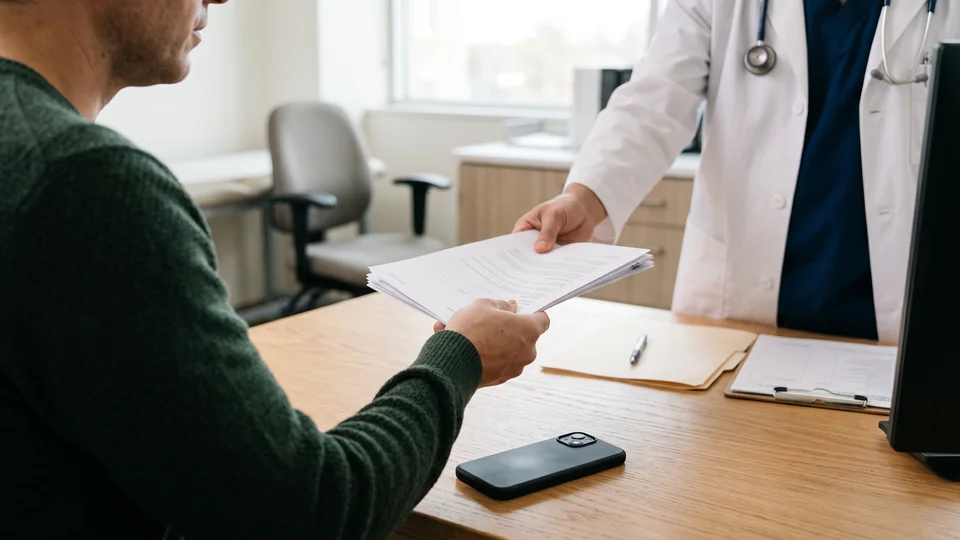
- Ask your doctor for a copy. HHS says that in most cases, you can get the copy the way you want, such as by email.
- If your doctor has a web portal, look there too. HHS says you may be able to view and download your information from the portal.
- Check that the copy is correct and complete. If something is wrong or missing, HHS says you can ask your doctor to fix it.
HHS says your doctor normally has up to 30 days to give you a copy. Your doctor can charge a reasonable fee. HHS says you can’t be denied access for not paying your medical bill, and that there are a few exceptions to getting your information.
If you think your health privacy rights were violated, HHS says you can file a complaint with its Office for Civil Rights.
Download records to Apple’s Health app
Apple says the Health app can download records of your allergies, conditions, medications, lab results and vaccinations from supporting healthcare organizations. Apple says this feature isn’t available in all countries or regions, and your organization might not appear.
- Open the Health app.
- Tap Summary, then tap your picture or initials.
- Tap Health Records, then tap Get Started.
- Tap the name of your clinic, hospital or other organization.
- Tap Connect Account.
- Sign in with the user name and password for that organization’s patient portal.
- Follow the steps on the screen.
New records then arrive in the Health app by themselves.
Apple says that when your iPhone is locked, your health data in the Health app is encrypted, apart from your Medical ID. Apple also says you can back up health data to iCloud, encrypted while it travels and while it’s stored. With two-factor authentication on, Apple says it can’t read the health data synced to iCloud.
Or keep your records as PDFs
If your doctor sends a PDF, save the PDF to the Files app. A folder in the Files app has no lock of its own. Apple’s other locks are in How to lock files and PDFs on iPhone.
What HIPAA does and doesn’t cover
HIPAA is a US law, and what it covers depends on who holds your information. HHS says the HIPAA Rules protect your information when health plans or most health care providers hold it. The rules also protect your information when certain companies that work for them hold it.
Your own phone is different. HHS says the HIPAA Rules "generally do not protect" information "accessed through or stored on your personal cell phones or tablets." HHS gives examples: your internet search history, what you share online and your location.
HHS says that in most cases, the rules also don’t protect data you’ve downloaded or entered into apps for your personal use. That includes data that came from your doctor. An app from your health plan or provider, or from a company working for one, can be an exception.
HHS also says what your phone and apps collect may be seen by other companies, used for advertising or sold to a data broker. A data broker is a business that shares consumer information. HHS says apps like maps or social media often get your permission to share location or activity information with others, including advertisers or law enforcement.
What HHS says to do on your phone
- Limit what personal information you send and store on your phone. HHS says this step does the most to keep your phone from collecting and sharing your information without your knowledge.
- Avoid unnecessary or random apps, especially free ones.
- Give your location only to apps that need it. In the Settings app, tap Privacy & Security, then Location Services.
- Turn off Allow Apps to Request to Track, in Privacy & Security, Tracking.
- In apps that log places or check-ins, look for a way to delete your location and activity history.
- Look for apps that use strong encryption by default when sending data, limit tracking tools and don’t collect or store personal information.
HHS says these steps reduce your digital footprint but don’t remove it. Your cell network still records your phone when your phone connects. For more on Apple’s settings, read iPhone privacy settings.
Reproductive health information
HHS’s page on HIPAA and reproductive health covers a 2024 HHS rule on reproductive health care privacy. The page says that on 18 June 2025, a US federal court declared most of that rule unlawful. The court vacated those parts, meaning it set them aside. HHS says it will decide next steps after reviewing the decision. HHS last reviewed the page on 27 June 2025.
The same page points to the guidance above. In HHS’s words, in most cases the rules don’t protect health information that people "access or store" on personal cell phones or tablets. For your own case, ask a lawyer or a legal aid office.
Keep copies in a vault
Underlock is coming soon to the App Store. Here’s how it will work.
Underlock is a private vault app we make. You open your vault by drawing a pattern on a grid of dots. A vault is a place to keep copies, nothing more. Underlock doesn’t connect to your doctor or to the Health app, so you add each file yourself.
Importing puts a copy of each file in your vault. Keep the originals where they are unless a lawyer or your doctor’s office says otherwise.
- Save the record as a PDF in the Files app.
- Open Underlock.
- Draw your pattern to open your vault.
- Tap the Add button (a plus sign), then Import from Files.
- Choose the PDFs.
- Keep Underlock open until the import finishes.
- When Underlock asks Remove the original from Files?, tap Keep.

If someone else checks your phone, read When someone checks or controls your phone before you add a new app.
What Underlock does
- A folder for your records. Keep your PDFs in one folder. Folder and file names are encrypted along with your files.
- Your passcode doesn’t open your vault. Your vault opens with your own pattern, a shape you draw on a grid of dots, not your iPhone passcode or Face ID.
- PDFs open inside Underlock. Other kinds of documents open in Apple’s preview, from a temporary copy that Underlock deletes afterwards. For those other documents, iOS may keep a small preview image outside your vault.
- Asks before a file leaves. To send a copy to someone, open the file, then tap Share. Underlock asks first, because a shared file leaves your vault and is no longer encrypted. The file leaves without its location, unless you turn off Remove location.
- Underlock doesn’t change the law. If a court or an official asks for what you keep, ask a lawyer what to do.