What can shrink a photo in a vault app
Resolution is how many pixels a photo has. More pixels keep more detail when you zoom in or print. A vault app can keep every pixel, or it can keep a smaller copy. Here’s what each app’s own pages say, and what Apple says:
- A plain import: no word either way. Keepsafe’s help centre and Private Photo Vault’s site don’t say whether an imported photo keeps its full size.
- Keepsafe’s Space Saver: smaller copies on your phone. Keepsafe says Space Saver, part of Keepsafe Premium, keeps your original files in its cloud. Your phone keeps smaller, compressed versions, which can look blurry. When you open an item, the full-size file downloads.
- Private Photo Vault’s Space Saver: originals in the cloud. Private Photo Vault says Space Saver, part of its paid Cloud Vault, keeps original files in the Cloud Vault to free up phone space. The page doesn’t say what size stays on your phone.
- Optimize iPhone Storage: Apple’s own setting. With iCloud Photos, this setting is on by default. Apple says your full-resolution photos stay in iCloud, with storage-saving versions on your iPhone. So the copy on your iPhone may be a smaller version, and a test shows what your vault app gets.
Test 1 photo before you move the rest
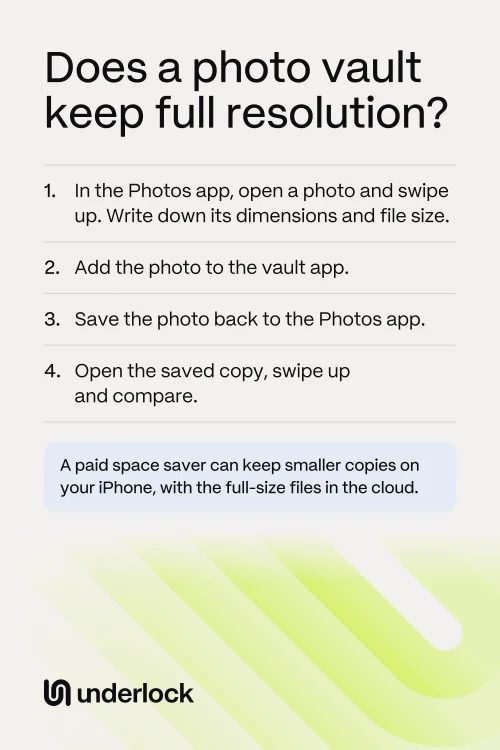
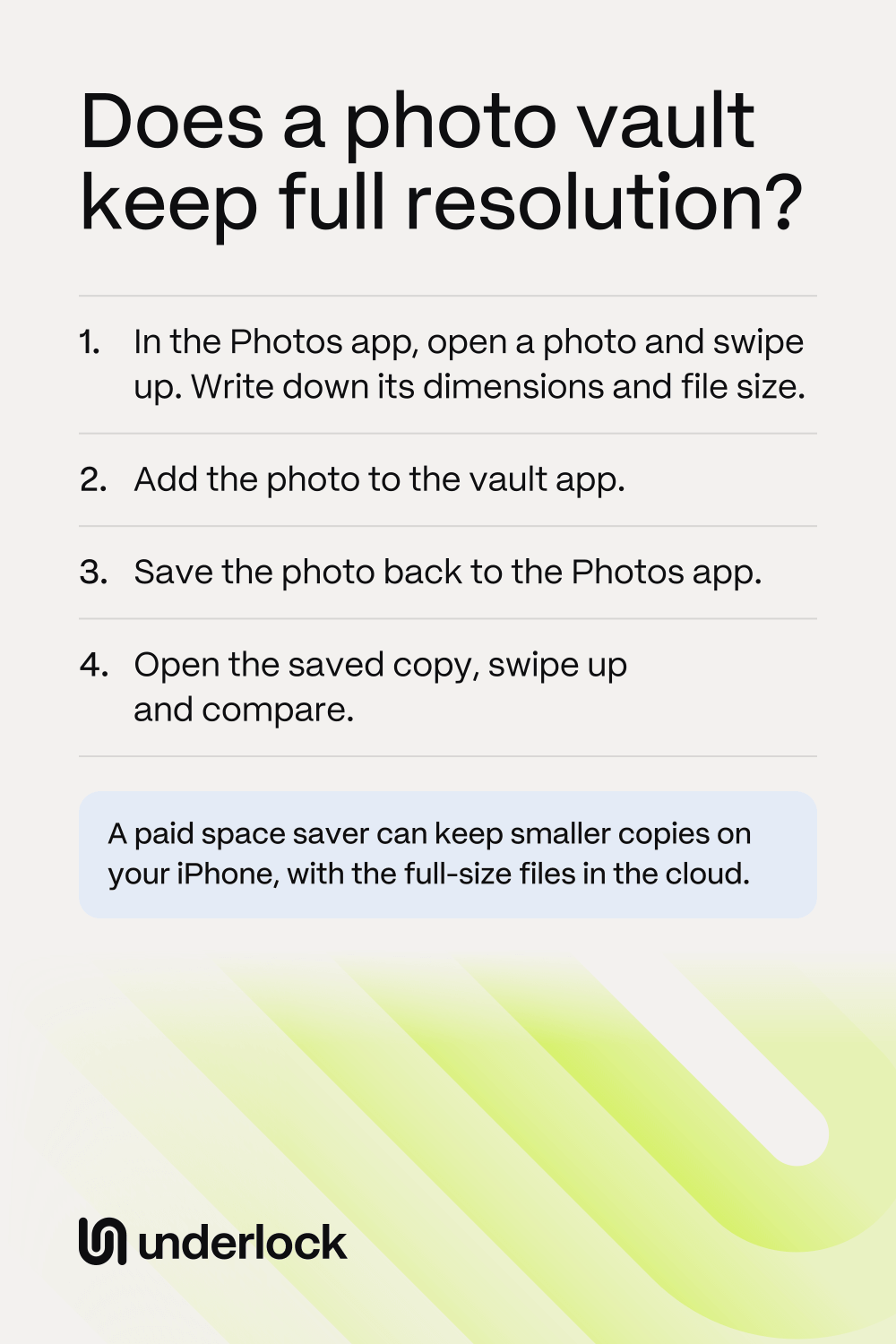
This test uses 1 photo, and your original stays in the Photos app. Do the test before you delete any originals:
- In the Photos app, open a photo. Swipe up to see the photo’s details.
- Write down the photo’s dimensions and file size. Dimensions look like 4032 × 3024.
- Add the same photo to your vault app.
- Save the photo from the vault app back to the Photos app.
- In the Photos app, tap Collections, then tap Recently Saved, under Utilities.
- Open the saved copy, and swipe up.
- Compare the dimensions and the file size with what you wrote down.
Test a video the same way. A video shows its details when you swipe up, too.
Full resolution in Underlock
We make Underlock, a private vault for photos, videos, files and notes.
Underlock is coming soon to the App Store. Here’s how it will work.
- No smaller copy in its place. Underlock encrypts each photo and video exactly as your iPhone hands it over, with no smaller copy in its place. Underlock has no setting that shrinks a file. For a photo from the Photos app, your iPhone chooses the file it hands over. To see what arrived, test Underlock the same way.
- A small preview as well. For the grid, Underlock also keeps a small preview of each photo. The preview is extra, and it doesn’t replace your file.
- From the Files app, the same file. When you import from the Files app, Underlock encrypts that file as it is. That includes HEIC and RAW photos.
- On screen. To open quickly, Underlock draws each photo at up to 2,400 pixels on its long side. That limit is only for the screen. The file in your vault keeps all its pixels.
- See the numbers. Open a photo in your vault, then tap the More button (three dots). Tap Info to see the file’s Size and Dimensions, and compare them with the Photos app.

Questions people ask
Some can. Keepsafe’s Space Saver keeps smaller, compressed versions on your phone, with the originals in its cloud. For a plain import, Keepsafe’s and Private Photo Vault’s pages don’t say. Test 1 photo to find out.
With Space Saver on, your phone keeps smaller copies, and the full-size files stay in Keepsafe’s cloud. To bring the full-size files back, open Keepsafe’s Settings, tap Backup & Sync, then turn off Space Saver. Keepsafe asks you to stay on Wi-Fi, and to keep the app open until the files finish.
Its pages don’t say what a plain import keeps. Space Saver keeps original files in its paid Cloud Vault. Private Photo Vault asks you to confirm that a backup has finished before you rely on the cloud copy.
Turn off Optimize iPhone Storage. Open the Settings app, tap your name, then tap iCloud. Tap Photos, tap iPhone Storage, then tap Download and Keep Originals. Your iPhone then needs room for every full-size photo.
No. Apple says HEIC, the format iPhones use to save space, keeps the same visual quality as JPEG in less storage. So check the dimensions first. If the dimensions match and the file is a little smaller, the format may have changed.
A RAW photo is a much larger file. Apple says an Apple ProRAW photo is about 25 MB at 12 megapixels (millions of pixels), and about 75 MB at 48 megapixels. So a RAW photo that comes back far smaller has been changed. Vault apps’ pages rarely say what happens to RAW, so test one.
Underlock doesn’t shrink what it imports. Underlock encrypts each photo and video exactly as your iPhone hands it over, with no smaller copy in its place.