
The numbers, from 4,479 App Store reviews
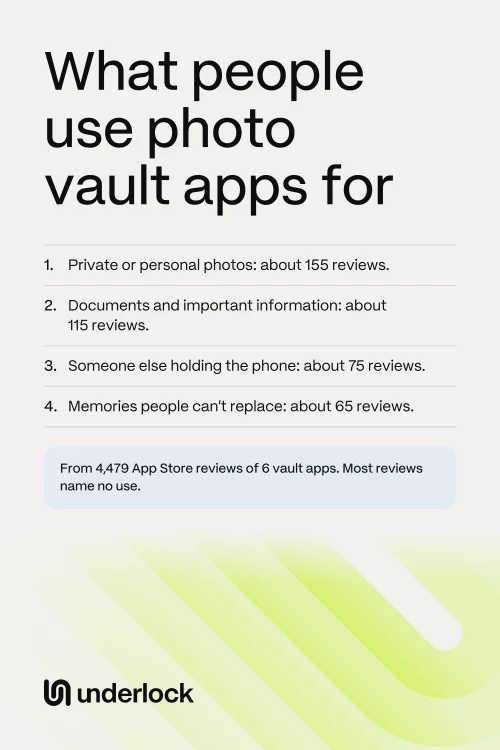
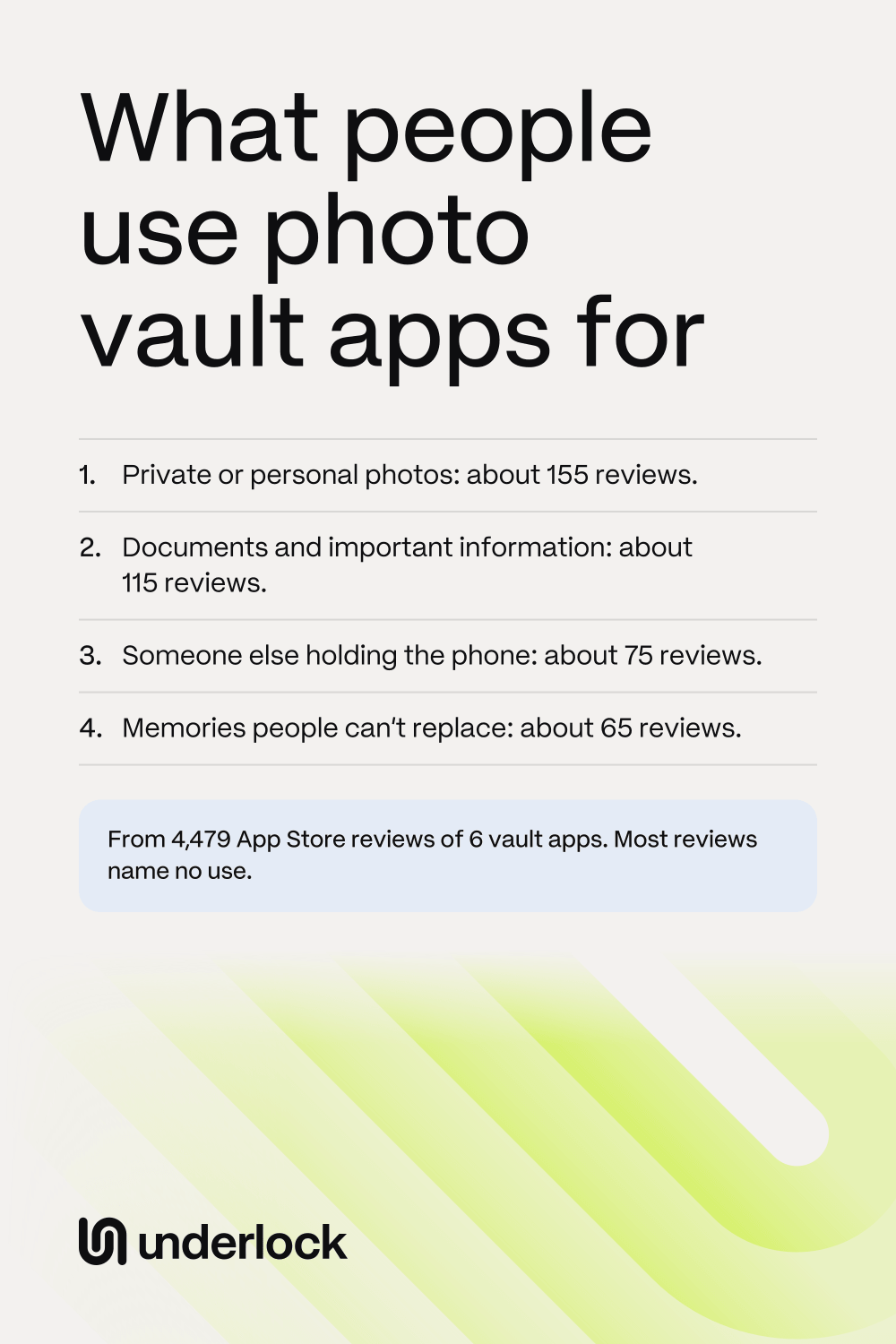
We collected 4,479 App Store reviews of 6 vault apps, at every star rating. Here is how many of those reviews name each use, most common first. For the smaller uses, we checked every matching review. For the biggest 4 uses, we checked a sample, so those 4 numbers are estimates.
- Private or personal photos: about 155 reviews. Most of these reviews say only "private photos" or "personal photos". About 35 reviews say plainly that the photos are meant for one person, or kept between two people. See photos meant for one person.
- Documents and important information: about 115 reviews. Passports, IDs, insurance cards, bank details, passwords and important files. See IDs and documents.
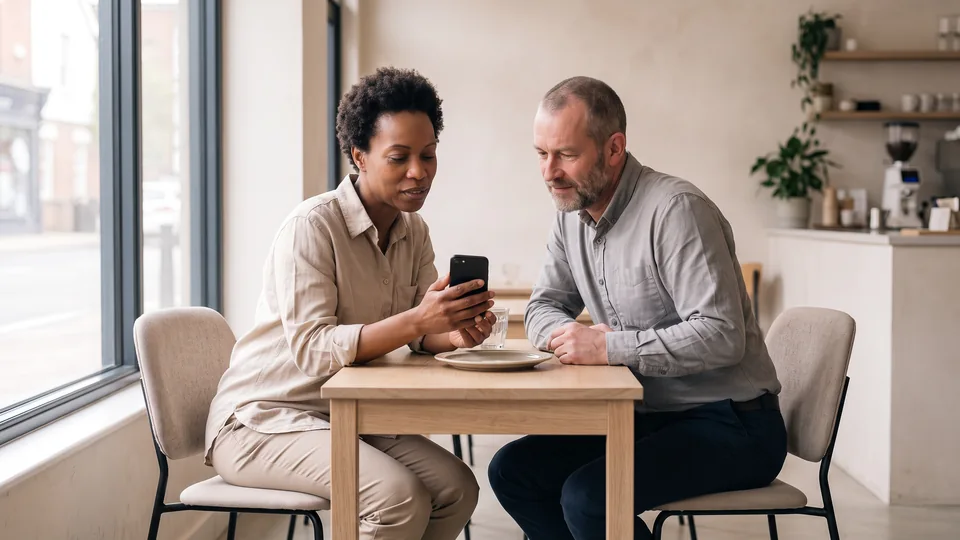
- Someone else holding the phone: about 75 reviews. Showing someone a photo, lending the phone, or other people scrolling through the camera roll. See showing someone a photo.
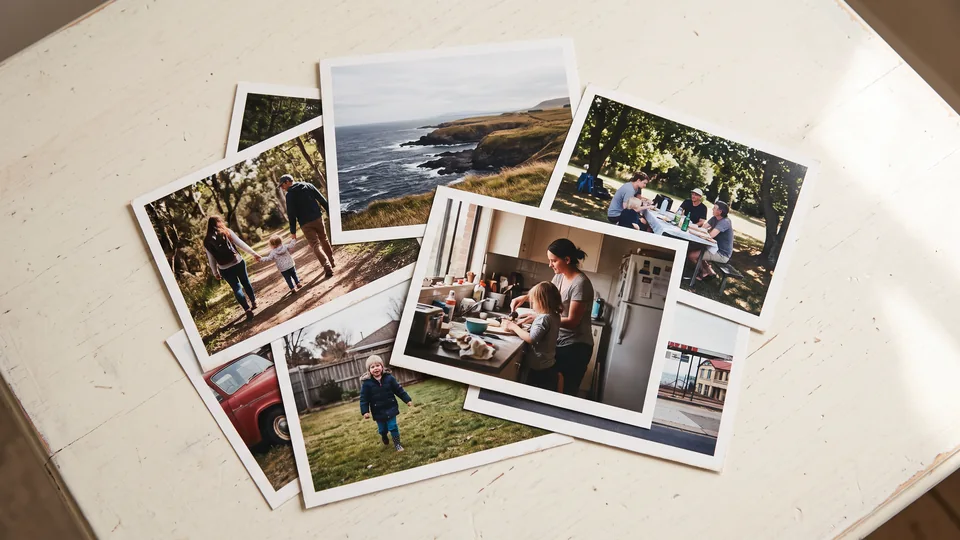
- Memories people can’t replace: about 65 reviews. Family photos, old videos and other photos people call precious. Most of these reviews give 1 or 2 stars, from people who lost those photos or couldn’t reach them. See why people lose photos in vault apps. Also, 11 reviews mention photos of a person or a pet who has died. See photos you’re not ready to look at.
- Kids using the phone: 21 reviews. Parents and grandparents who let kids play on their phone. See when kids or family use your phone.
- Work: 11 reviews. Job photos, pictures for clients, business cards and receipts. See work and personal photos.
- Medical and progress photos: 8 reviews. Weight loss, workouts and healing after surgery. See medical and progress photos.
- Freeing up space: 7 reviews. People who moved photos into the app to make room. A vault doesn’t free up space by itself, because your photos are still on your iPhone.
- A surprise: 5 reviews. Gift ideas, a wedding dress and a birthday video. See keeping a surprise.
- A lost or stolen phone: 3 reviews. People who want their photos locked if a stranger ever has the phone. See when your iPhone is lost or stolen.
- A shared iPad or iCloud: 2 reviews. See photos on a shared iPad or Mac.
One review can name more than one use, so these numbers don’t add up to a total. The list isn’t every use, either. We left out some themes, and keywords miss reviews that use other words.
How we counted
Apple publishes the most recent and most helpful reviews of each app in a public feed. We downloaded those feeds for 6 vault apps, from the US App Store, in October 2026. So we have many reviews, but not every review. The reviews are dated May 2017 to October 2026.
- Keyword matching. A computer searched each review for words like "passport", "my kids" and "private photos". Keywords also catch the wrong reviews. The word "friends" can simply mean "I told my friends about this app".
- A second check. We then checked matching reviews. A review counted only if the reviewer uses the app this way, or wants to. For the smaller uses, we checked every match. For the biggest 4 uses, we checked a random sample, then applied that share to all the matches.
- Private or personal photos. 169 reviews matched. We checked 60, and 55 counted. That makes about 155. The real number is likely between about 140 and 165.
- Documents and important information. 198 reviews matched. We checked 60, and 35 counted. That makes about 115. The real number is likely between about 90 and 140.
- Someone else holding the phone. 150 reviews matched. We checked 60, and 30 counted. That makes about 75. The real number is likely between about 55 and 95.
- Memories people can’t replace. 70 reviews matched. We checked 40, and 36 counted. That makes about 65. The real number is likely between about 55 and 65.
- Close numbers. A sample can be off, so the order could change. For example, someone else holding the phone and memories could swap places.
What the counts can’t show
Read the numbers with these limits in mind:
- Most reviews name no use. The keyword search matched a use on this page in only 627 of the 4,479 reviews. That’s 14% before the second check. After that check, at most about 1 review in 10 names a use. Many reviews are short: about 1 in 4 is under 60 characters, too short to say much.
- Reviews, not people. These numbers count reviews. They can’t tell you how many people use a vault app for each reason, or what most people use a vault app for.
- What people choose to write. Someone may say "private photos" and stop there. Some uses are easier to say in a public review than others, so the counts may favor those uses.
- US reviews, some of them old. The reviews are in English. An app can also change after someone reviews it.
- No app names. The counts are about vault apps as a group, so this page names no app and ranks none.
- Who counted. We make Underlock, a vault app, so keep that in mind. Underlock wasn’t on the App Store when we collected the reviews, so Underlock isn’t in the counts.
How Underlock fits these uses
We make Underlock, a private vault for photos, videos, files and notes. You open your vault by drawing a pattern on a grid of dots.
Underlock is coming soon to the App Store. Here’s how it will work.
- Private photos. Photos in your vault aren’t in the Photos app, so they’re not in iCloud Photos, and your iPad, Mac and iCloud.com don’t show them.
- Documents and notes. Files you add are encrypted on your iPhone before they’re saved.
- Someone else holding your phone. Your vault opens with your own pattern, not your passcode.
- Memories you can’t replace. Keep a second copy outside any vault app.
Questions people ask
The reviews we counted name private or personal photos most often. Then come documents, someone else holding the phone, and memories people can’t replace. Most reviews name no reason, so these counts can’t speak for everyone.
We can’t say. Our counts show what some reviews mention. Most reviews name no use, and most people who use an app never write a review.
Yes. Please say that the counts are approximate, that they come from keyword matching and a second check, and that Underlock did the count. Underlock makes a vault app.
6 vault apps on the US App Store. This page counts vault apps as a group, so it names none of them.
No. Underlock wasn’t on the App Store when we collected the reviews.